
How to use the wallet
Discover the core features of RC Wallet — send, receive, check balances, and manage your assets.
How to send crypto
1. Select "Send"
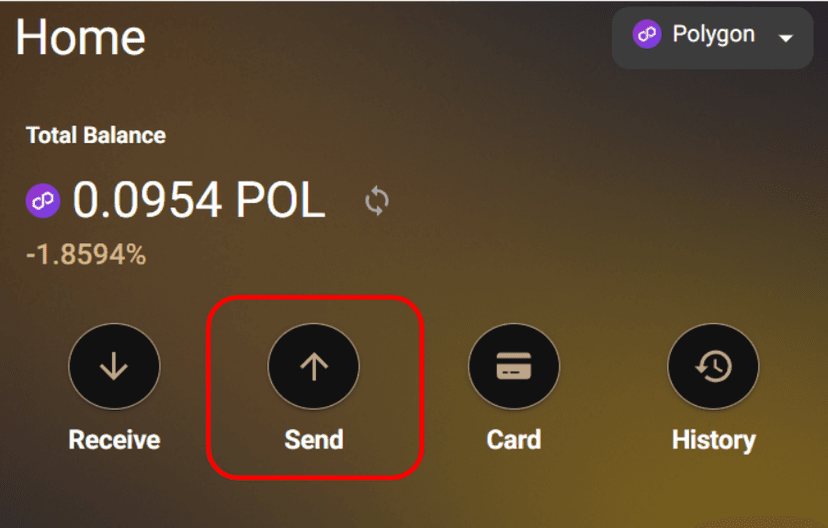
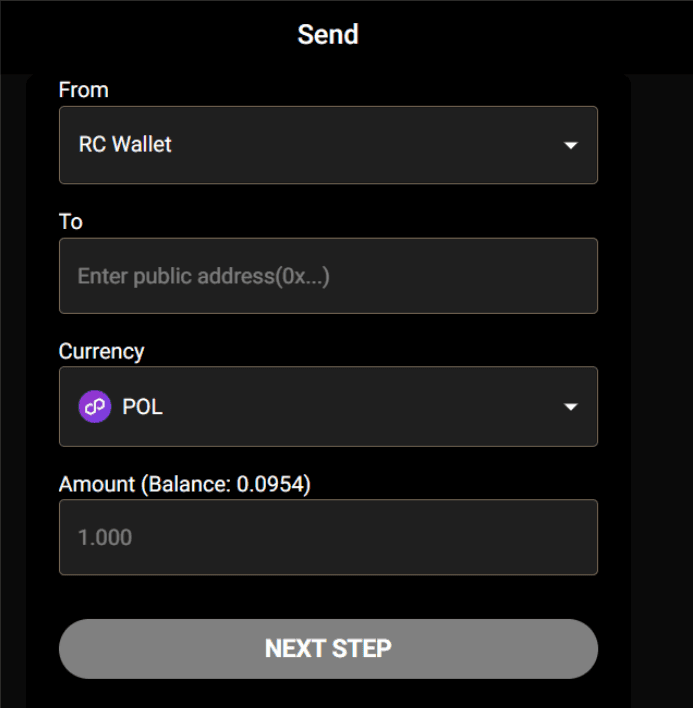
2. Enter the transfer details
From: Select the sending source.
To: Enter the recipient wallet address.
Currency: Select the currency to send.
Amount: Enter the amount to send.
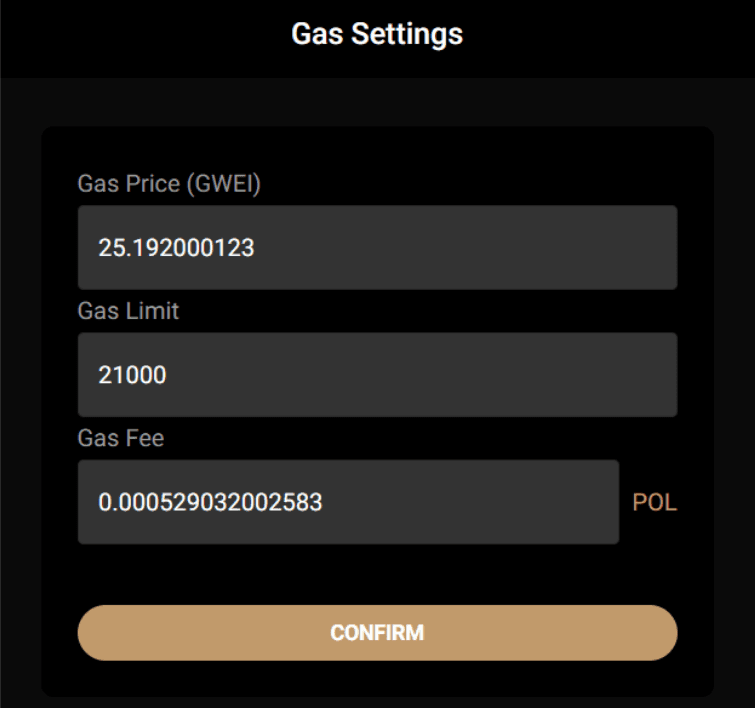
3. Set the gas fee
The gas fee will be displayed under "Gas Fee".
Once you've confirmed the details, proceed to "CONFIRM".
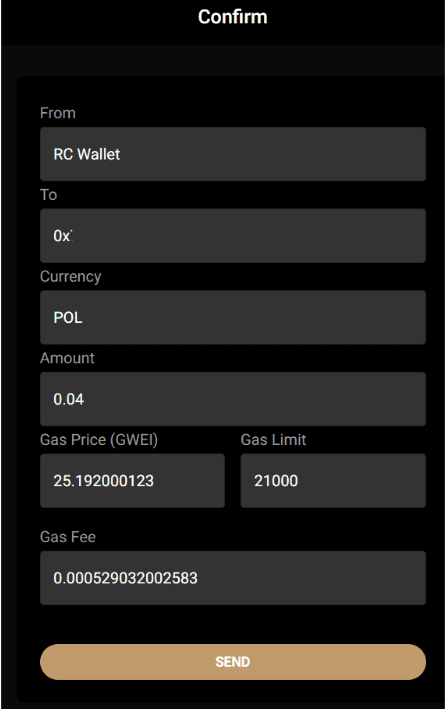
4. Final review
If the recipient wallet address and amount are correct, proceed to "SEND".
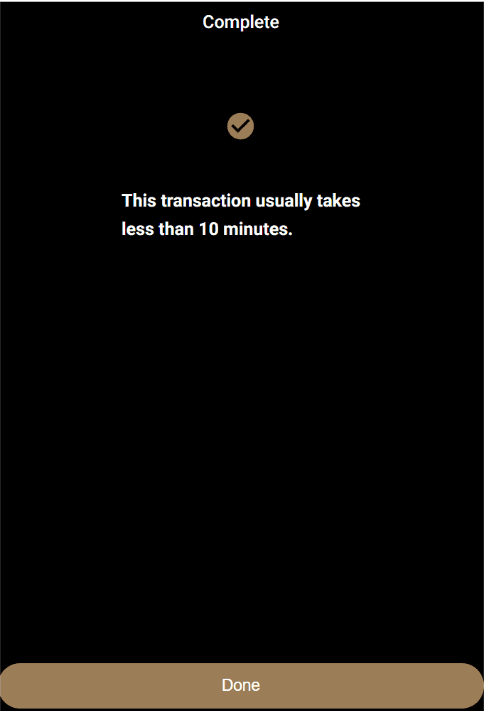
Transfer complete.
Depending on the time of day and network congestion, the arrival time may vary.
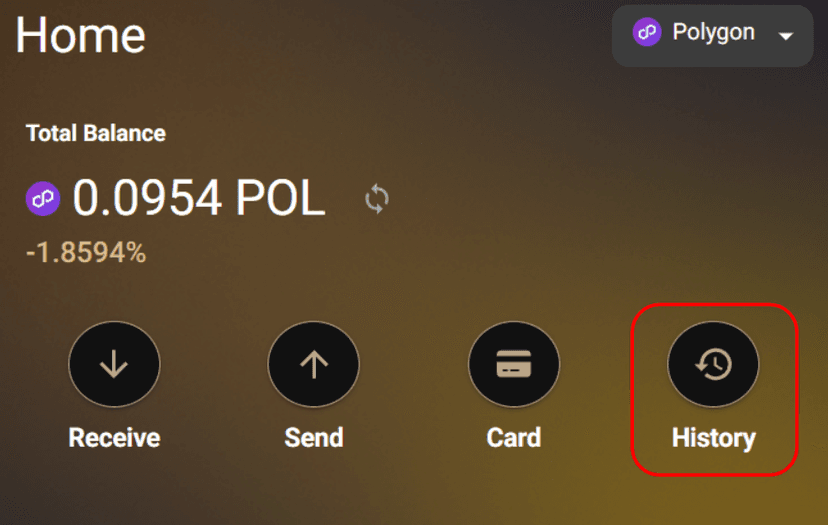
2. How to check your transaction history
Select "History".
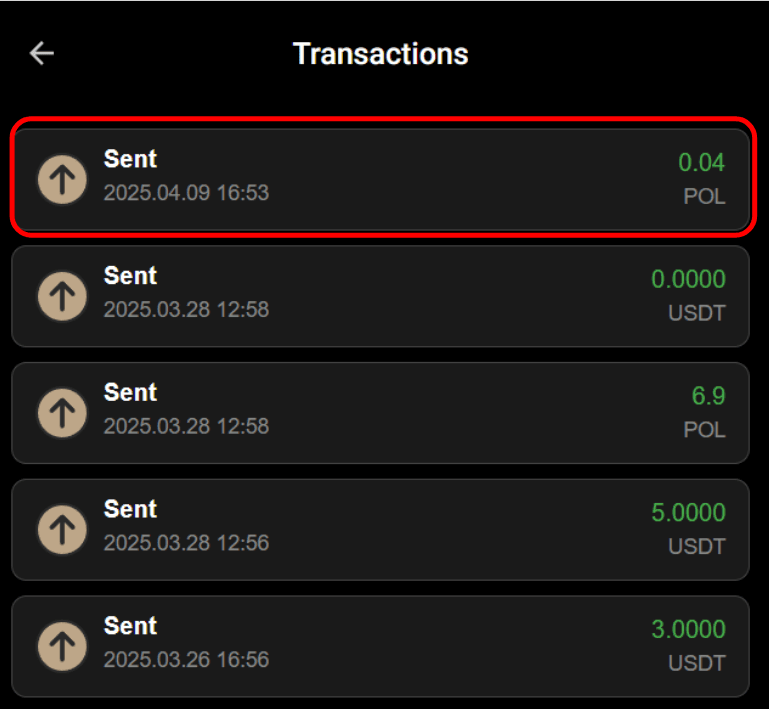
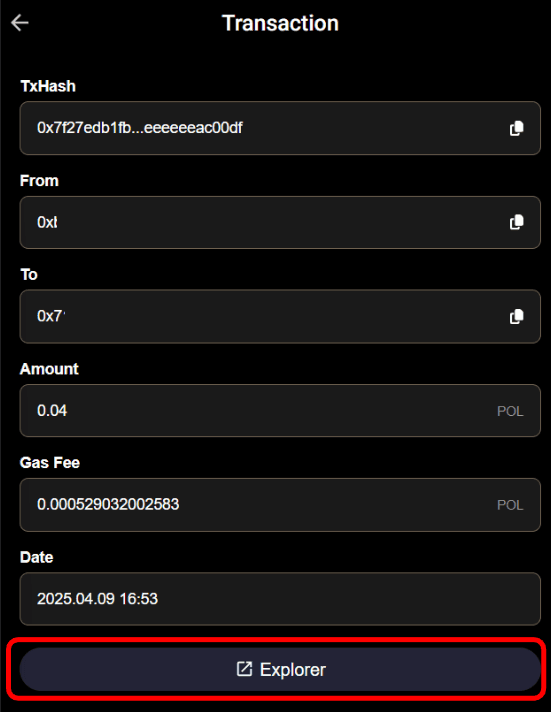
Tap/select a transaction to view more details.
Go to "Explorer" to view an even more detailed transaction history.
3. How to check your wallet address
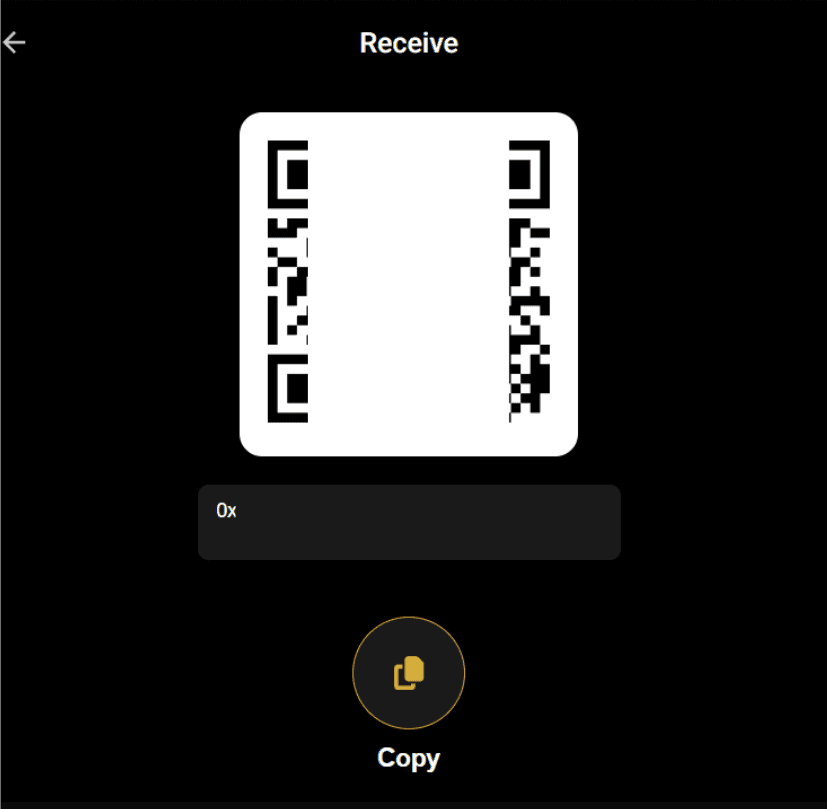
Select "Receive".
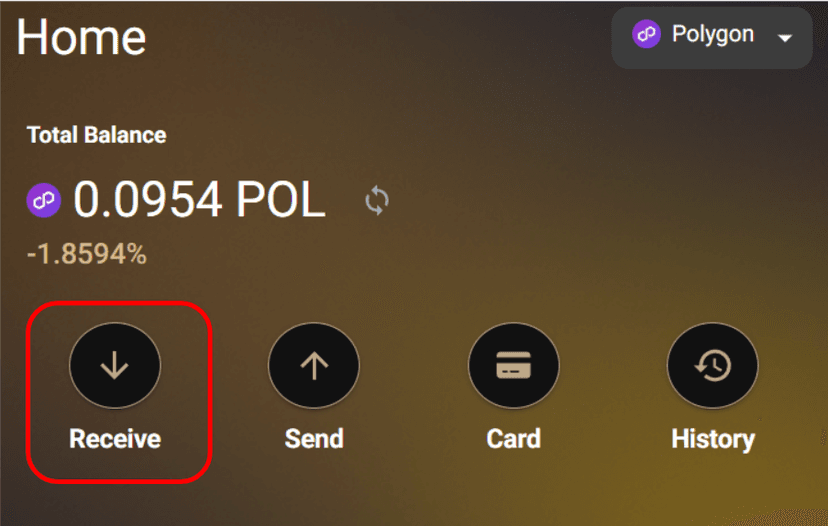
You can view the QR code and your wallet address.
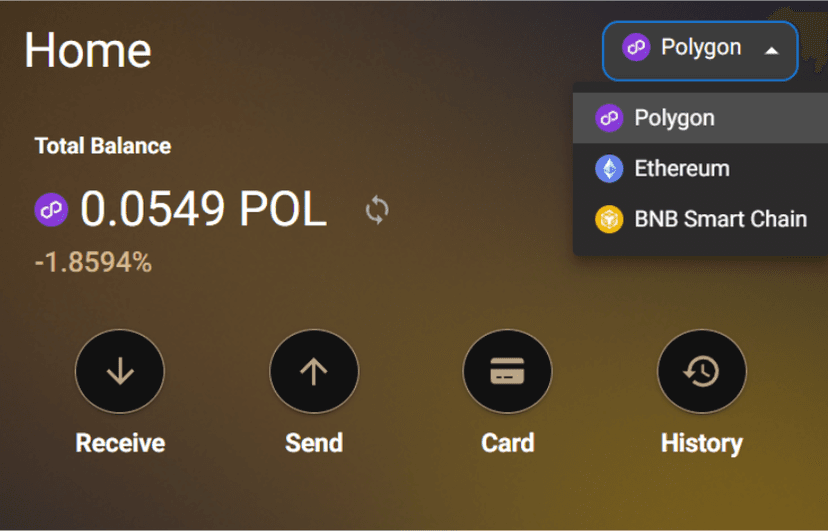
4. How to change the network
You can change the network from the top-right of the HOME screen.
5. How to check your crypto holdings
Select the wallet you want to check.
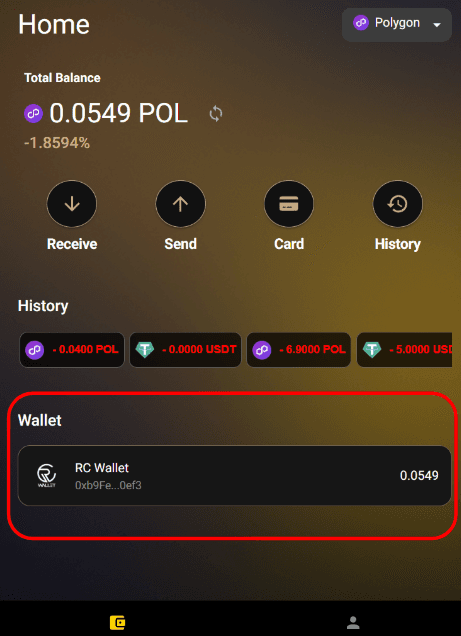
Your token holdings will be displayed at the bottom of the screen.
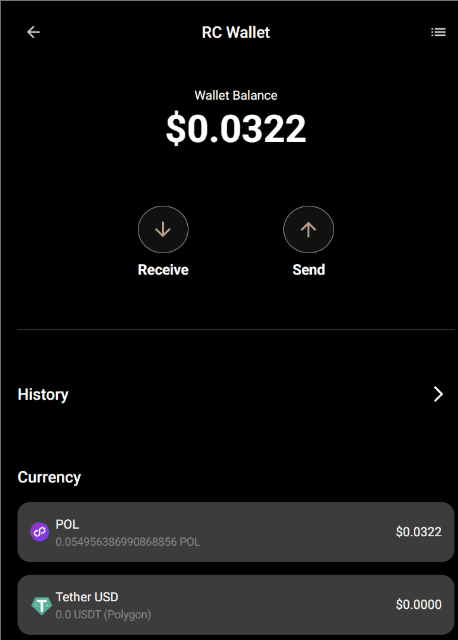
At this time, RC Wallet can display ETH, BNB, POL, and USDT. Tokens other than those listed above will not be displayed in RC Wallet.