Learn how to use PolygonScan, the essential block explorer for the Polygon network. This beginner-friendly guide with images shows you how to easily track transactions, check wallet balances, and explore the Polygon blockchain.
What is Polygonscan?
Polygonscan, a blockchain explorer for the Polygon network, is an essential tool for users of the Polygon blockchain. It plays a crucial role in managing assets and enhancing the transparency of transactions. Polygonscan streamlines activities on Polygon and supports informed decision-making. If you are utilizing Polygon, be sure to make use of this valuable tool.
With Polygonscan, you can view various data on the Polygon blockchain, such as:
- Transaction HistoryCheck past transaction records, token holdings, and NFTs.
- Gas Fee Details View detailed information on gas fees used for each transaction.
- Block Information Tracking Track block generation details and transaction contents.
How to Check Transactions on Polygonscan
・Enter the Wallet Address in the Search Bar
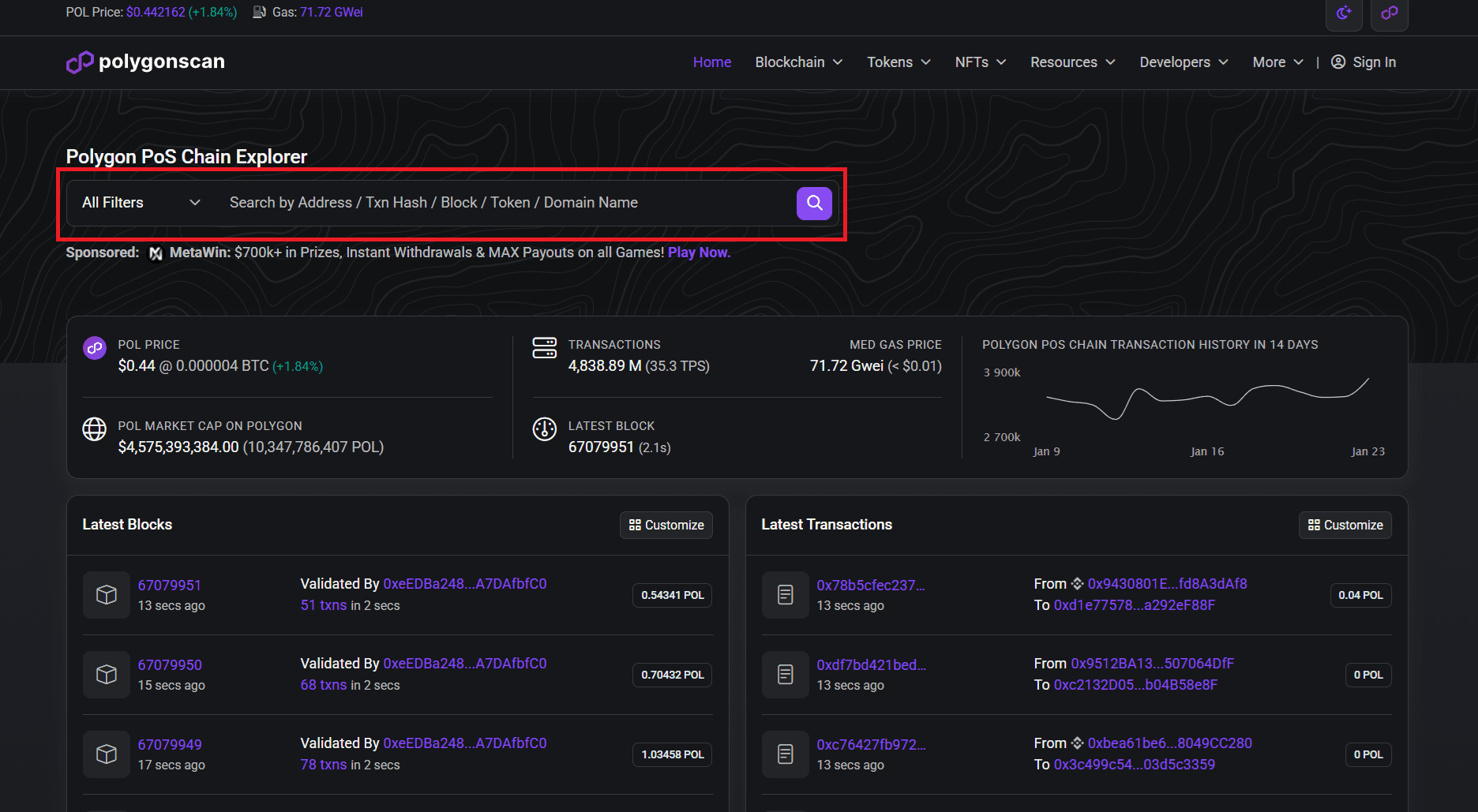
Input the relevant wallet address into the search bar and click “Search” to display the associated transactions.
- Transactions: Transactions involving POL (Polygon’s native token).
- Token Transfers (ERC-20): Transactions involving tokens other than POL (e.g., USDT).
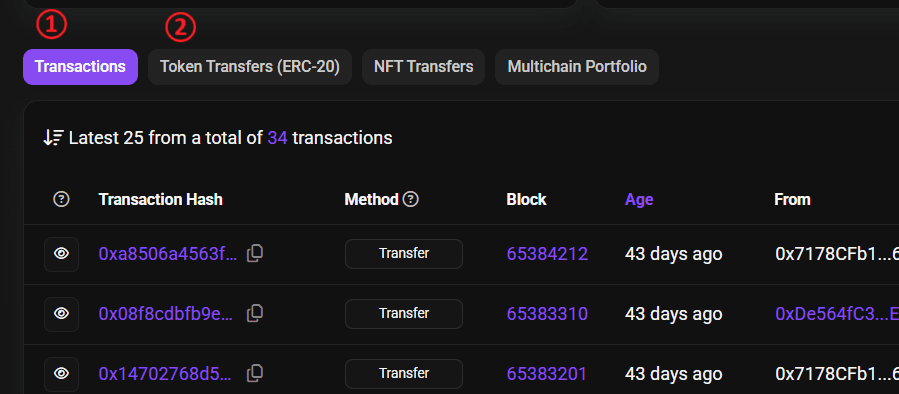
How to Read Displayed Transactions
- Transaction Hash: A unique string used to identify each transaction on the blockchain.
- Age: When the transaction occurred.
- From: The sender’s wallet address.
- To: The recipient’s wallet address.
- Amount: The amount sent.
- Txn Fee: The gas fee for the transaction.

Viewing Transaction Details
Clicking on the “Transaction Hash” will open a detailed page for that specific transaction.