How to Change Your PIN Code
Follow these steps to update your card PIN securely.
Steps
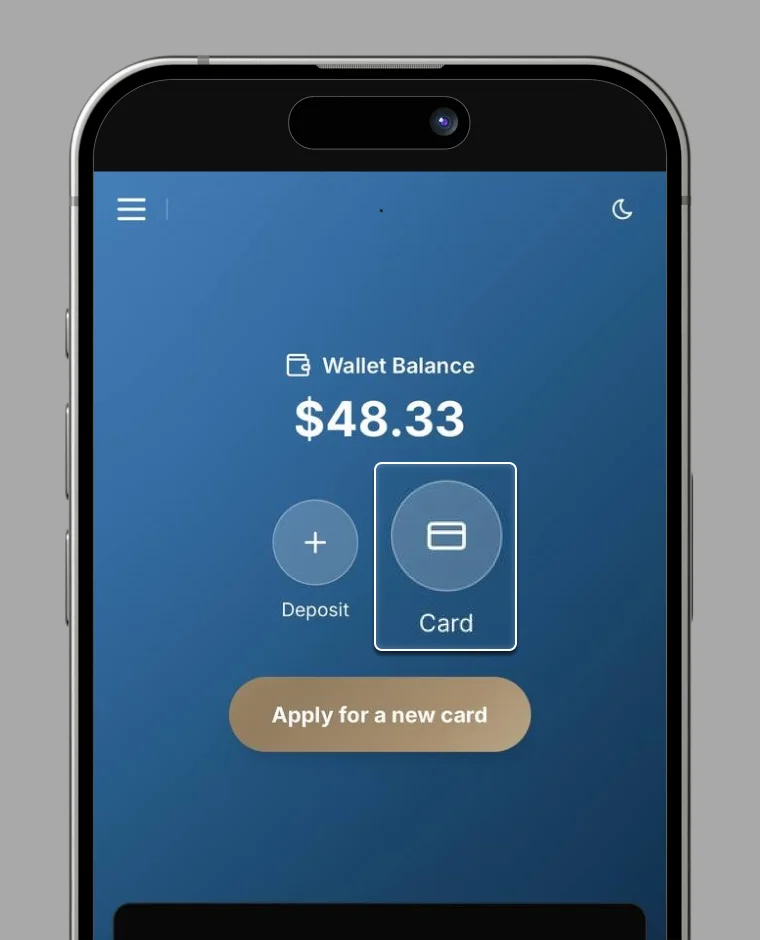
1. Select "Card" from the Card screen
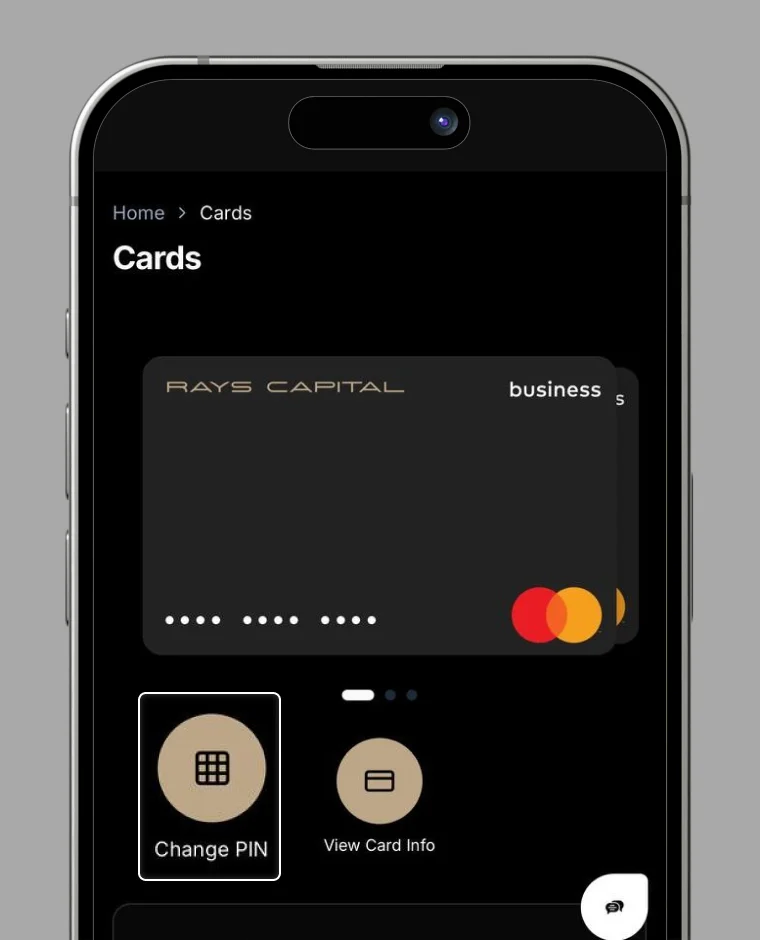
2. Select "Change PIN"
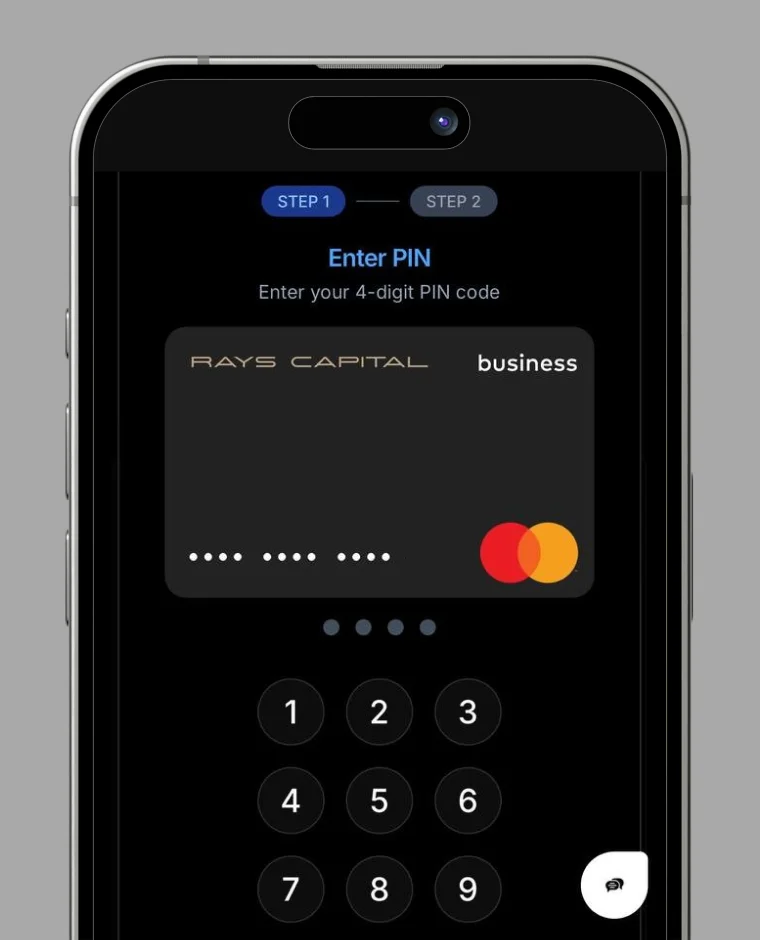
3. Enter your new PIN code twice
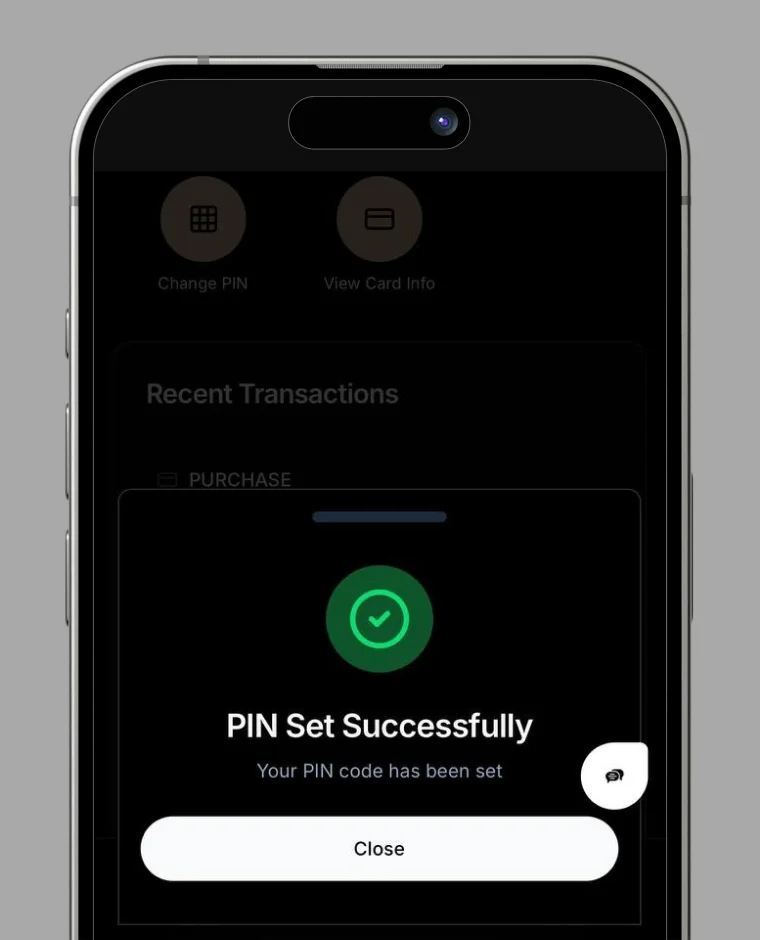
4. Your PIN code has been successfully changed.

Your trusted digital wallet for cryptocurrency management and seamless transactions.
© 2026 RC Wallet. All rights reserved.