RC Wallet

How to access your card

Sign in to your card account to manage payments, check balances, and track transaction history.

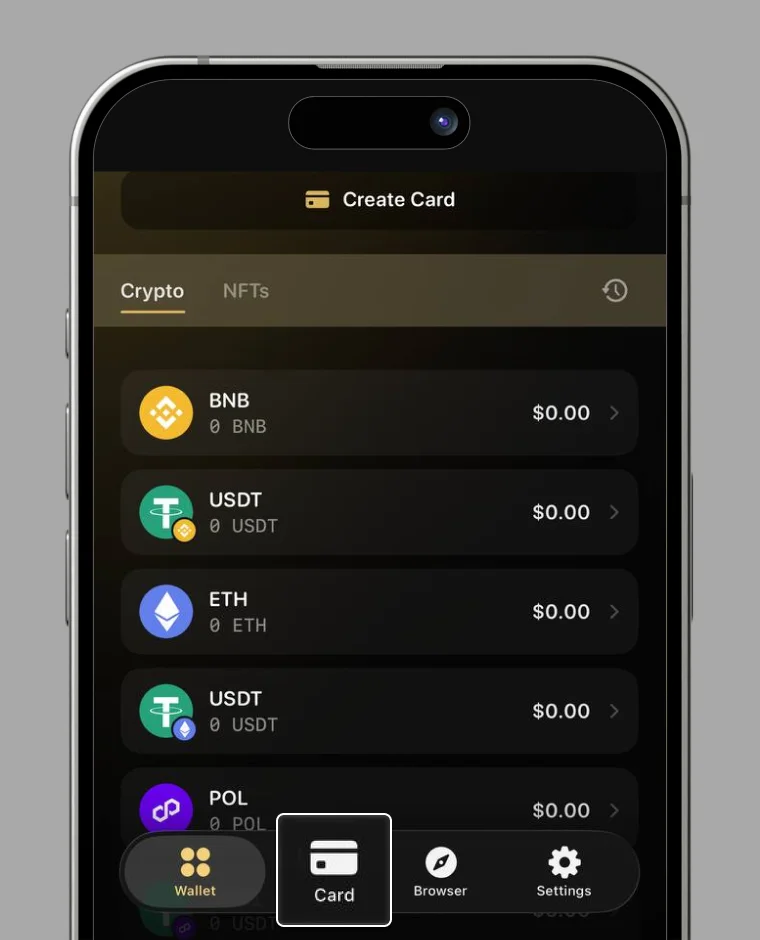
1. Tap the card icon at the bottom of the screen

On the home screen, tap the card icon at the bottom.

Step 1

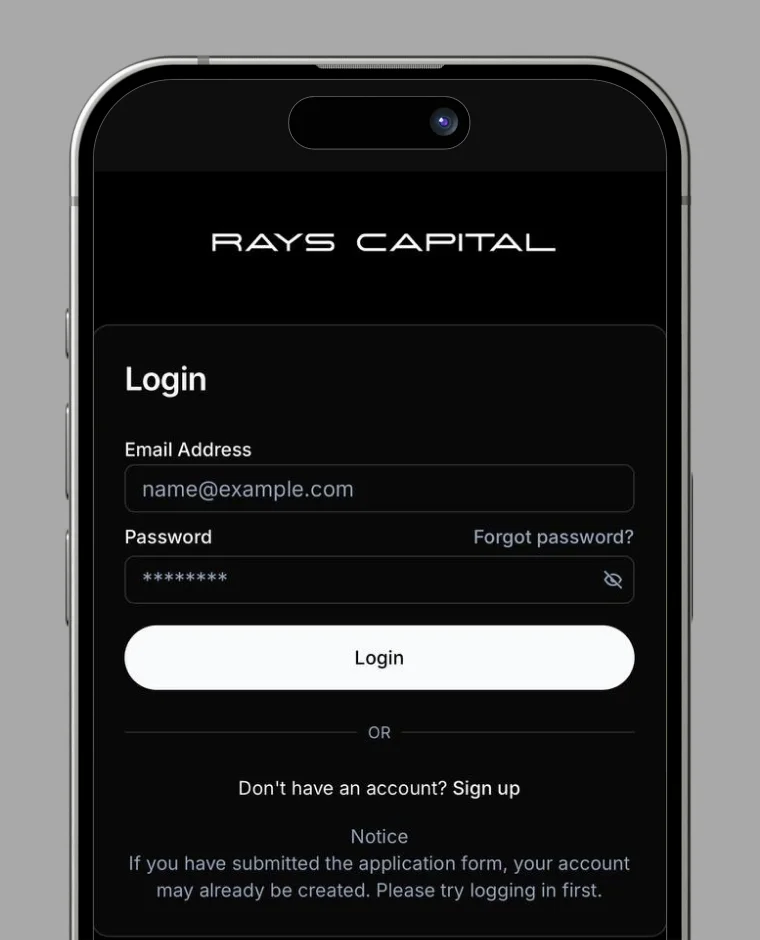
2. Enter the email address and password you set when applying for the card

Enter the email address and password you registered when you applied for the card, then tap the “Confirm” button.

Step 2

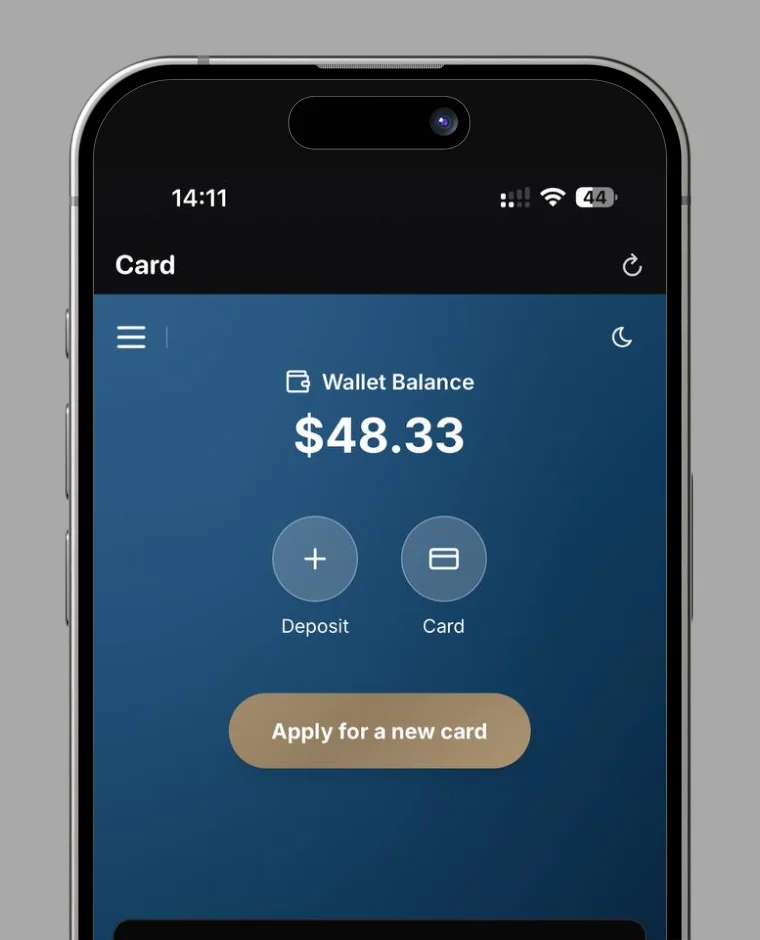
3. Login is complete

Once you are logged in, the card screen will appear. For details on how to use the card screen, please refer to the FAQ.

Step 3
RC Wallet

Your trusted digital wallet for cryptocurrency management and seamless transactions.

Quick Links

Resources

Language

© 2026 RC Wallet. All rights reserved.