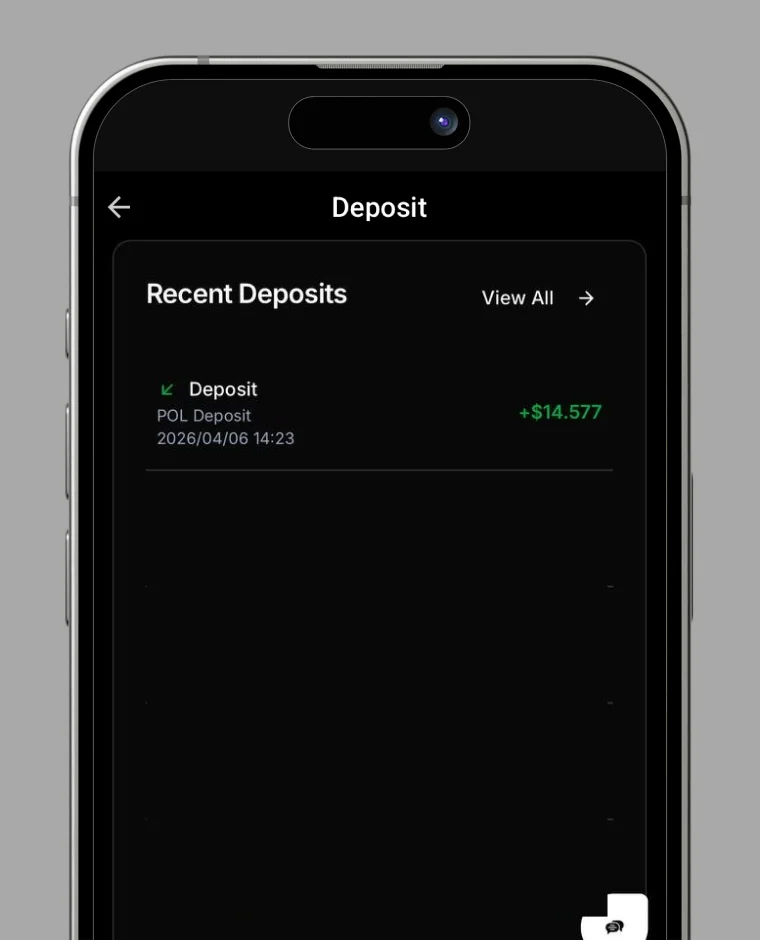
How to Top Up Your Card
Step-by-step instructions to deposit balance to your RC Wallet card and start using your funds.
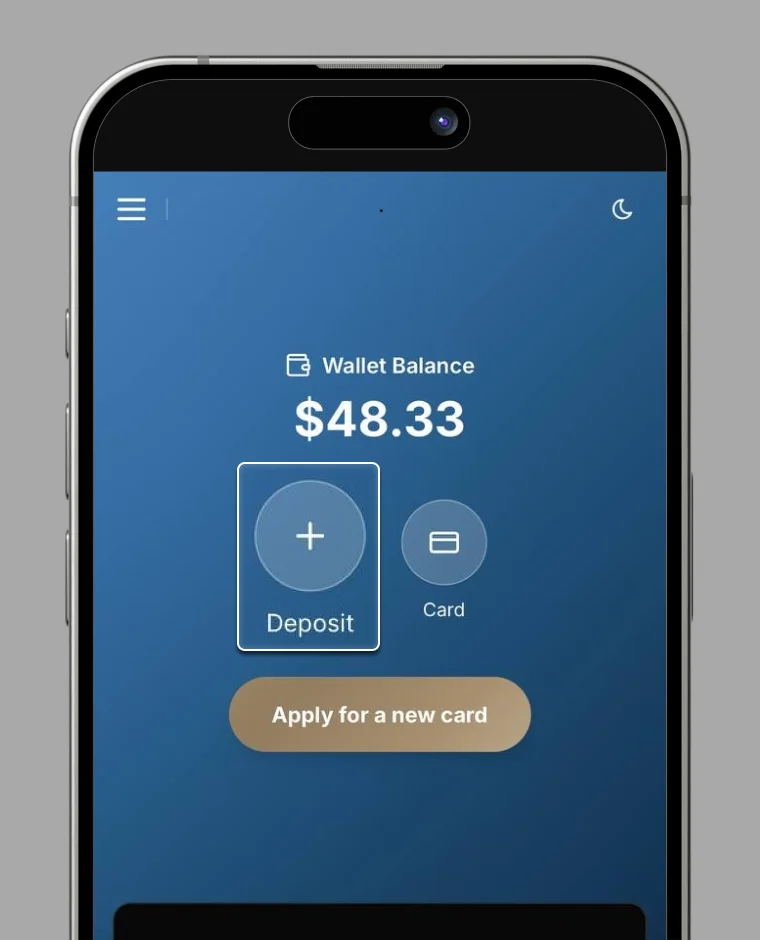
1. Tap "Deposit"
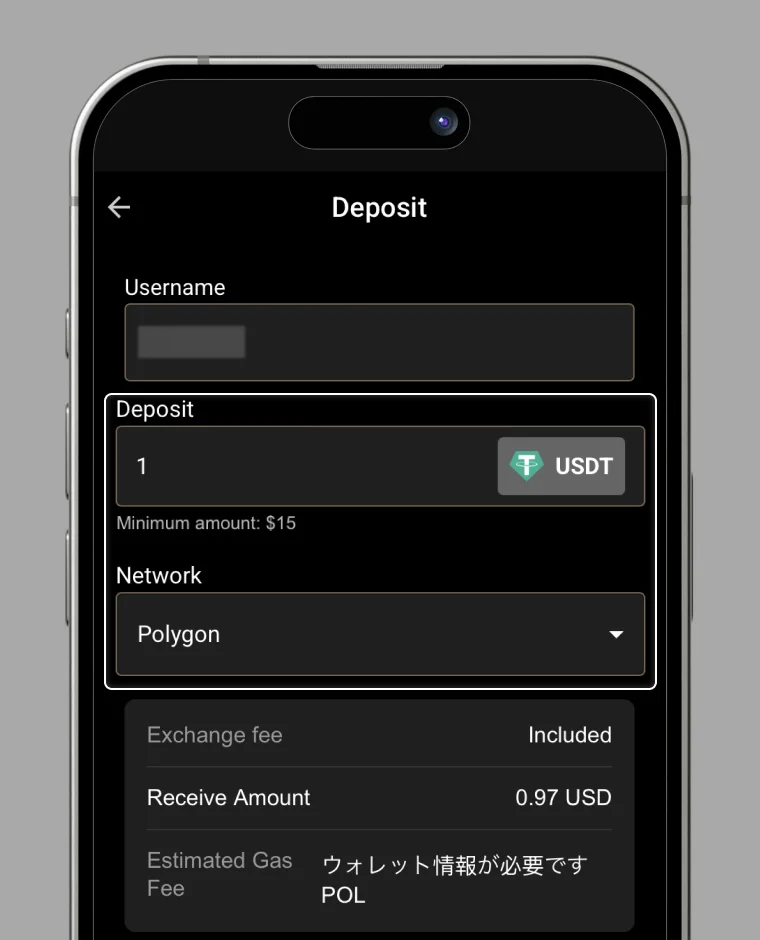
2. Enter top-up details
Please input the following two items:
- Amount – Enter the amount you wish to top up.
- Network Selection – Choose the network and token to deposit with. These are supported:
- Ethereum – USDT
- Polygon – USDT
- BSC – USDT
- Base – USDC
Tap "PAY" to proceed
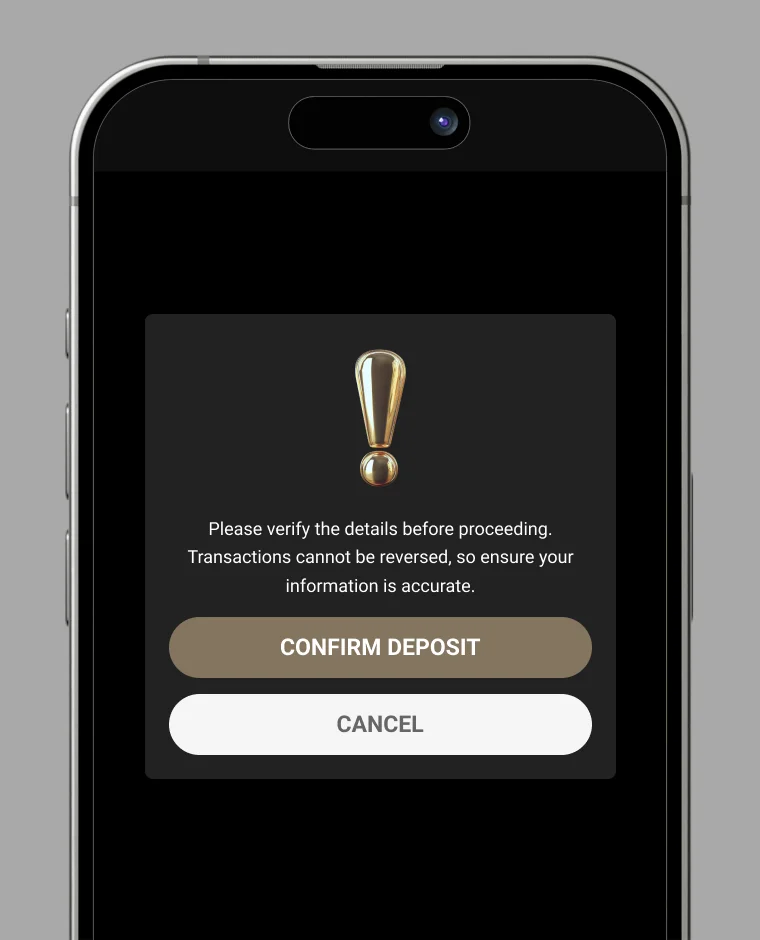
3. Confirm the top-up
A confirmation popup will appear.
- Carefully review all details.
- Tap "Confirm Top-up" to proceed.
- If you want to edit the amount or cancel, tap "Cancel."
4. Top-up completed
Once processed successfully, the balance will be reflected on your card.