How do I delete my RC Wallet account?
Step-by-step guide to clear your balance, complete verification, and submit your account deletion request.
Steps
Important Notes Regarding Account Deletion
We're sorry to see you go, but you can close your RC Wallet account from our web card application.
• Please ensure your card balance is zero before requesting account deletion.
• Any remaining balance will be lost after the account is deleted, and the card will be deactivated.
• Processing may take up to 14 business days after your request is accepted. Delays may occur in some cases.
• Please ensure your card balance is zero before requesting account deletion.
• Any remaining balance will be lost after the account is deleted, and the card will be deactivated.
• Processing may take up to 14 business days after your request is accepted. Delays may occur in some cases.
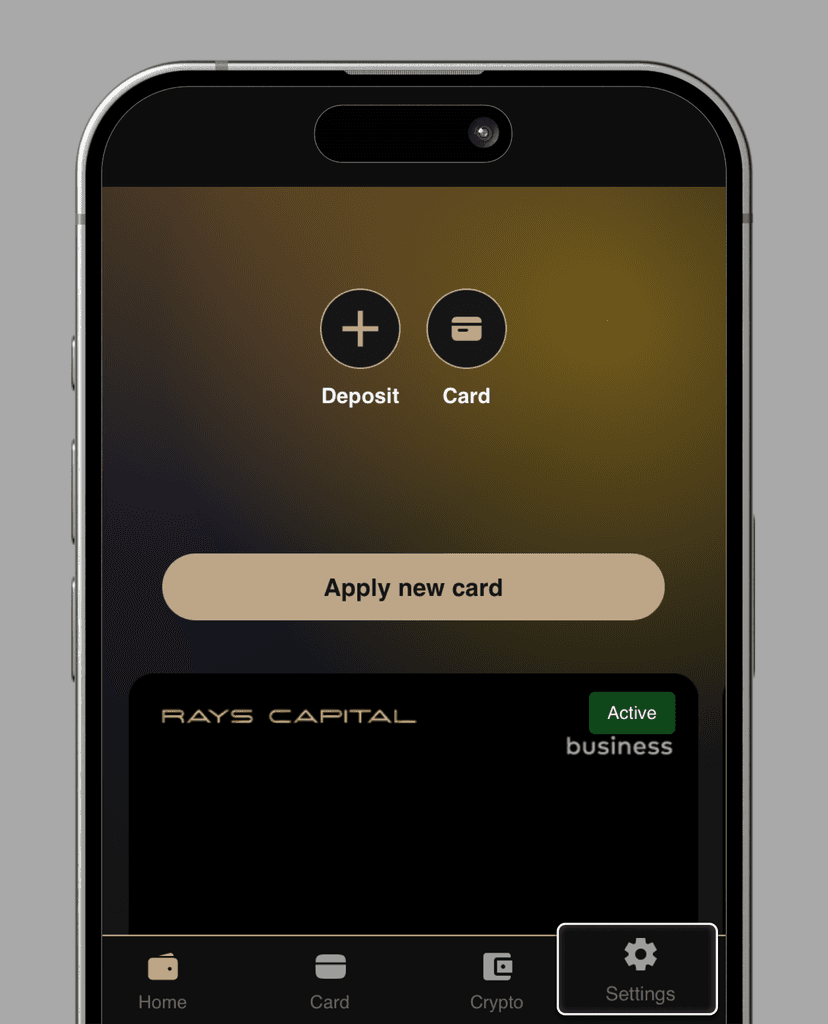
1. On the homepage, select "Settings".
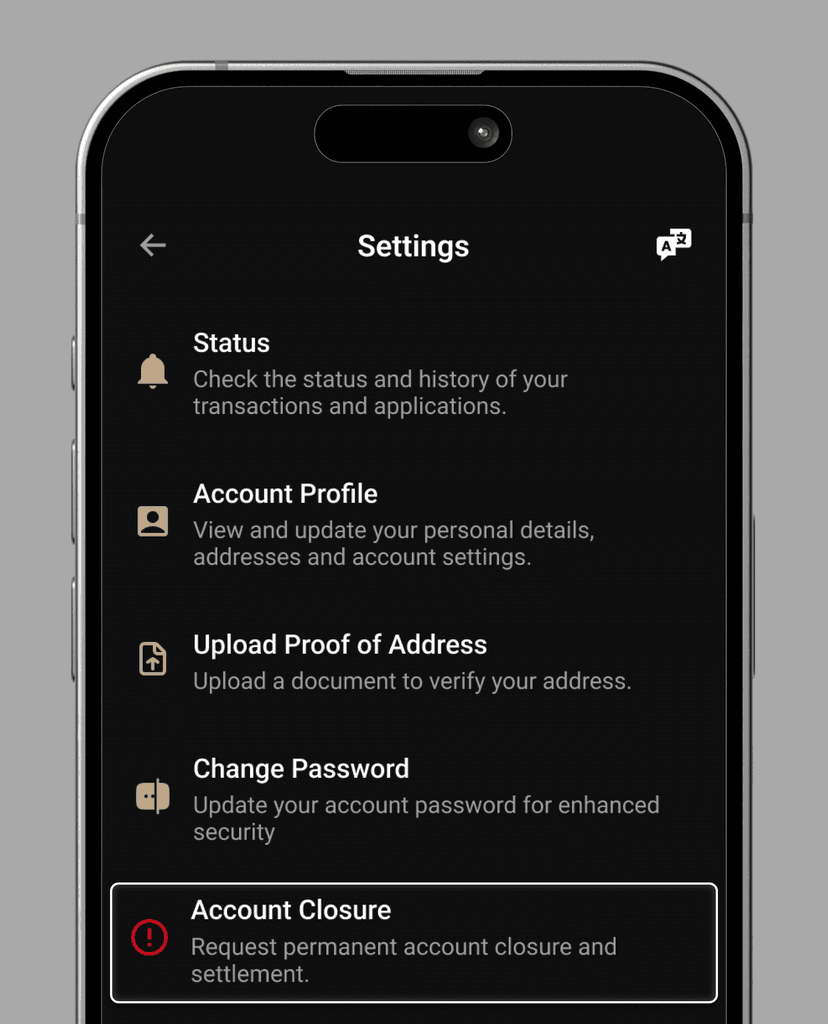
2. In Settings, press "Account Closure"
3. In "Reason of Closure", select your reason for an account closure.
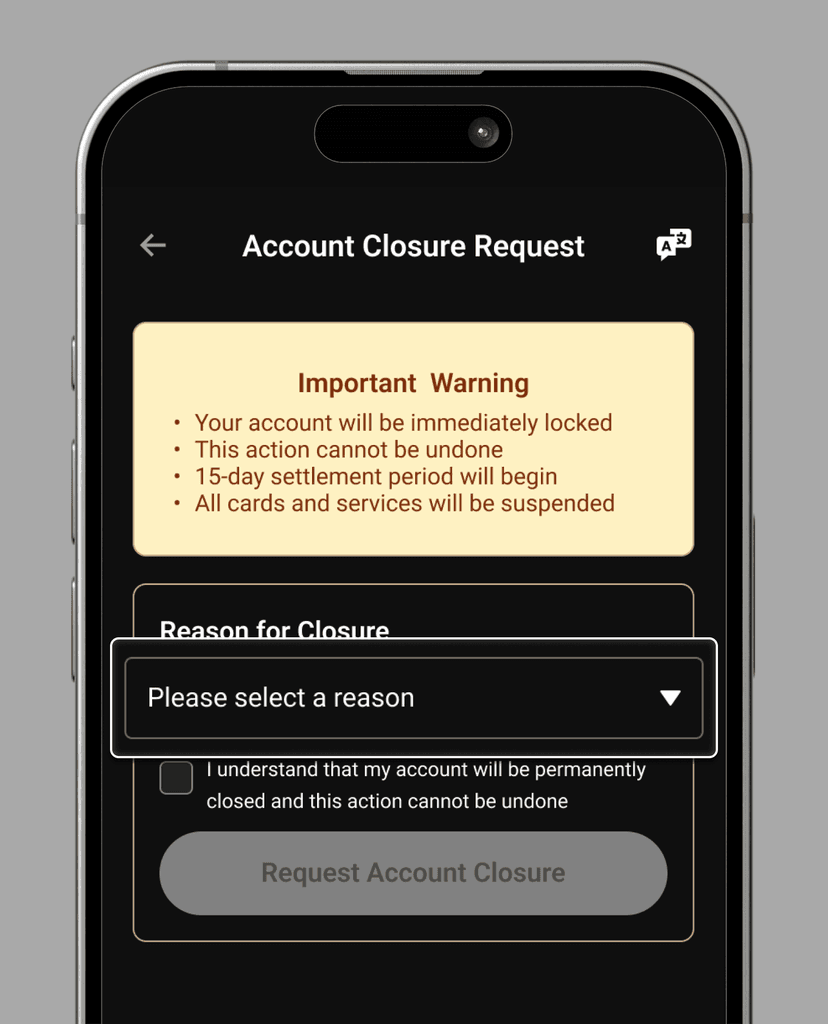
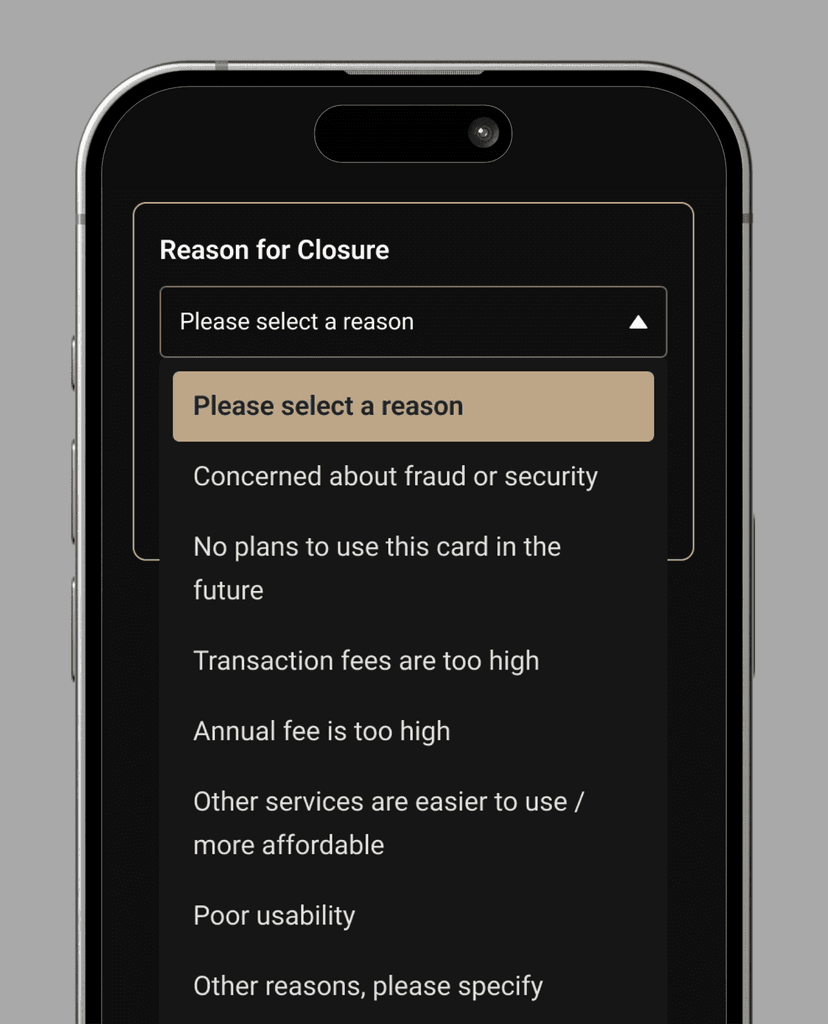
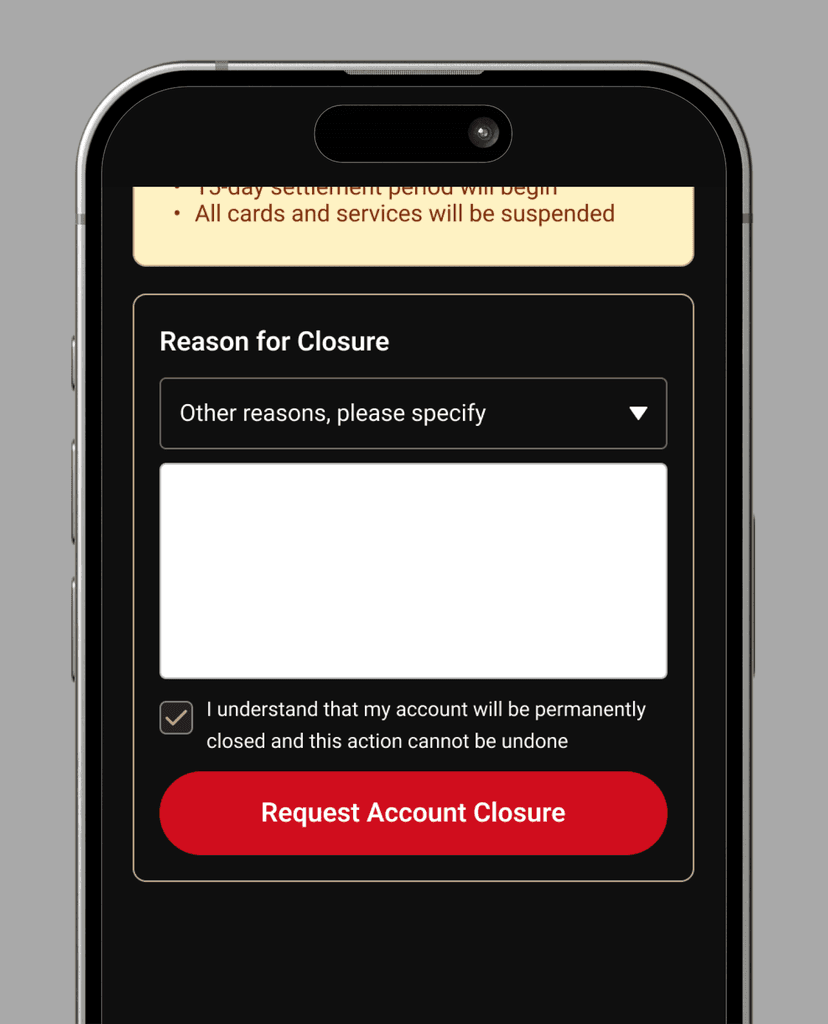
For "Other reasons, please specify," enter your reason in the text field provided.
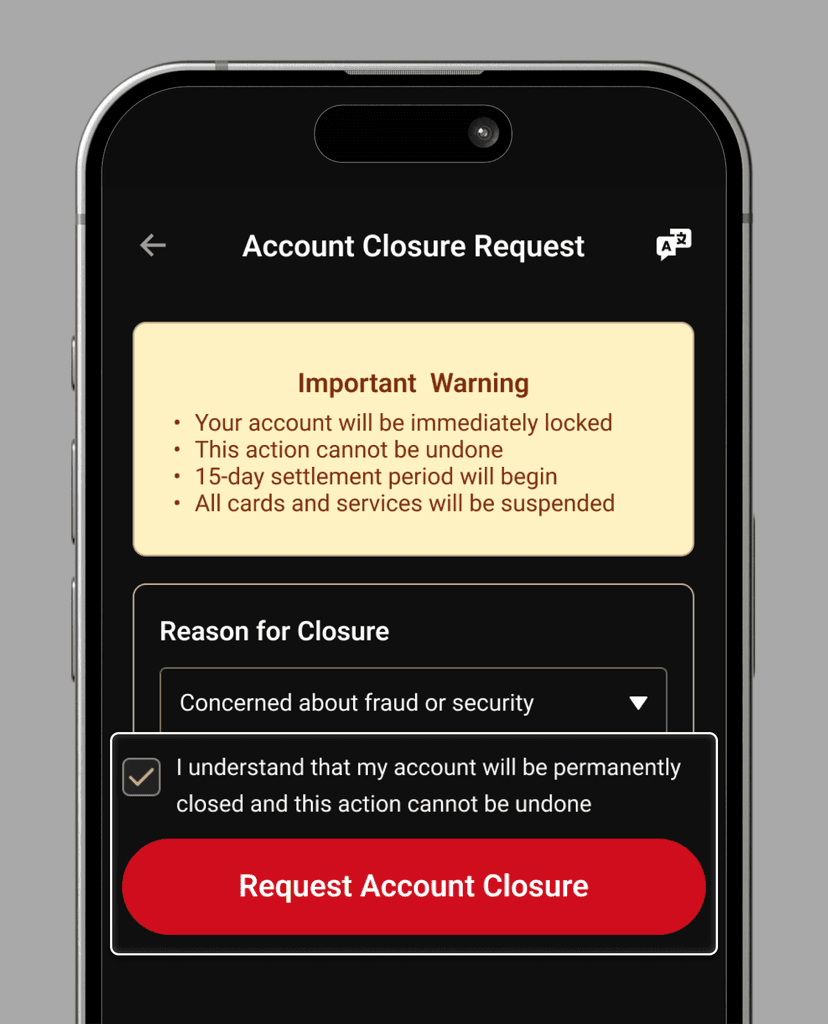
Tick the checkbox to confirm that your account will be deleted. Afterwards, press "Request Account Closure".
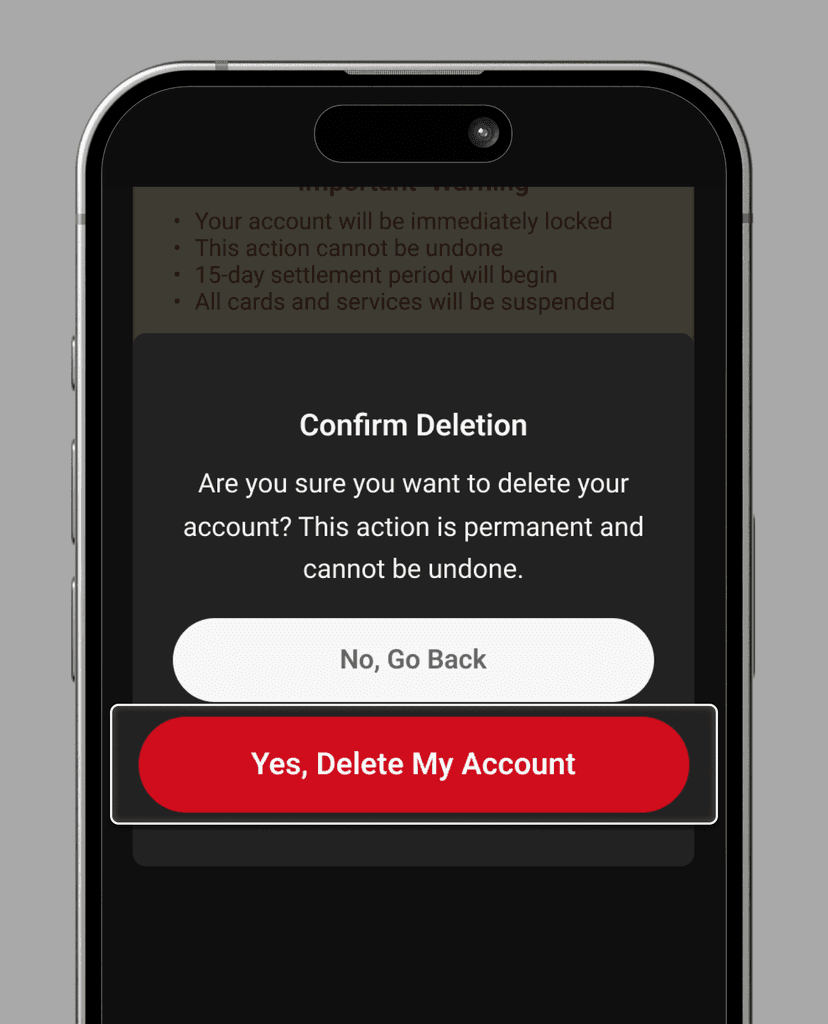
1. On the "Confirm Deletion" modal, press "Yes, Delete My Account".